AGo Carpool App: A Safer, Commission-Free Way for Society Residents to Share Rides
AGo (Anywhere Go) is a new carpooling app built for everyday commutes, with live trip tracking, a two-way SOS button and zero commission. Here's how it works, how its safety features compare with BlaBlaCar, Quick Ride and sRide, and how society residents can use it well.
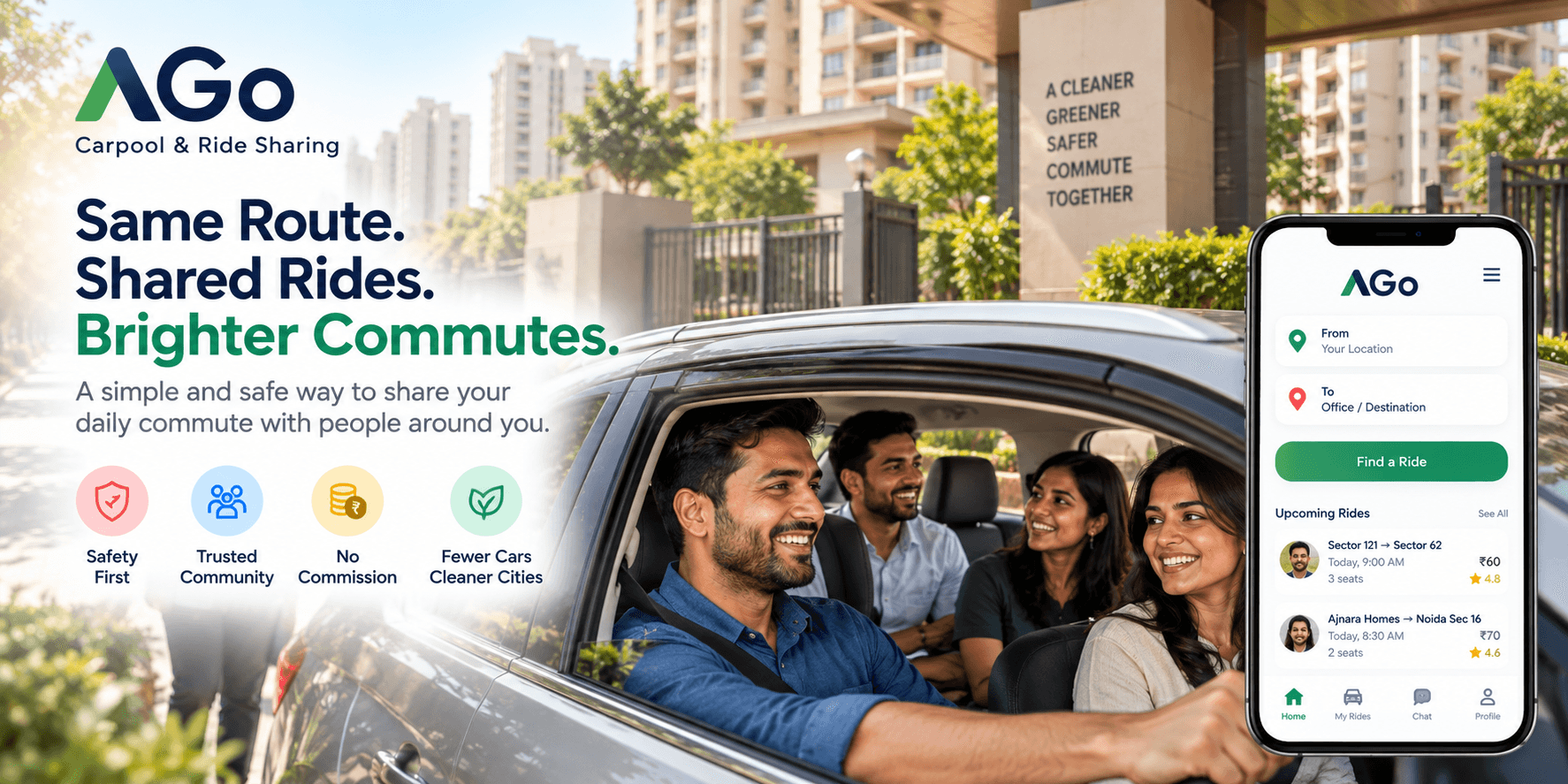
Step outside a large housing society in Noida or Greater Noida West on a weekday morning, and you'll notice something familiar: dozens of cars heading towards the same office areas, many carrying just one person.
The cars are already on the road. The routes often overlap. Yet people who could share a ride usually travel separately.
So why don't more people carpool?
For many, the biggest concern isn't finding someone travelling in the same direction. It's deciding whether they feel comfortable sharing a car with that person.
That's the problem AGo (Anywhere Go) aims to address. The carpooling app, developed by Anvya AI, connects drivers with spare seats to passengers travelling along similar routes. It is available on Google Play and supports features such as live trip tracking, in-app chat, ratings and an SOS alert.
AGo is free to use and doesn't charge commission on rides. Drivers and passengers arrange payment directly through UPI.
Here's how it works, what safety features are available, and what commuters should know before trying it.
What is AGo?
AGo is designed for people who want to share everyday journeys rather than book a conventional taxi.
If you're driving to work, you can publish your trip, choose your fare and accept requests from passengers heading your way. If you need a ride, you can search for a suitable trip and review the available driver's details before booking.
The arrangement benefits both sides when the route and timing match. Drivers can recover part of their fuel and toll expenses, while passengers get another commuting option that may cost less than taking a cab alone.
Of course, the experience depends on availability. A carpooling app is only useful when enough drivers and passengers are travelling along compatible routes at compatible times. That is particularly important for a new service building its user base.
How do you use AGo?
Getting started involves a few straightforward steps.
- Create an account. Sign in using one of the available options, such as Google, phone OTP or email.
- If you're driving, add your details. The registration process includes vehicle information and a driving licence photo.
- Publish your trip. Enter your route, departure time, available seats and fare.
- If you're a passenger, search for a ride. Review the route, vehicle details and driver's rating before making a booking.
- Coordinate the pickup. Use in-app chat to agree on the meeting point and timing.
- Travel together. Live location tracking is available during the trip.
- Pay directly through UPI. The payment goes between the passenger and driver rather than through an AGo wallet.
- Rate the experience. Both parties can rate each other after the journey.
The important practical point is to check the trip details before confirming. A ride that looks suitable on a map may not work for you if the pickup point, departure time or final drop-off is inconvenient.
Safety: What does AGo actually offer?
Safety deserves a closer look because sharing a car with someone you don't know is a different decision from booking a familiar taxi service.
AGo provides several tools intended to help riders and drivers coordinate and share information during a journey. These tools can help, but they cannot guarantee that every ride will be safe.
1. SOS alerts for drivers and passengers
Both the driver and passenger can trigger an SOS alert during an active trip.
According to the app's described workflow, the user is asked to confirm before the alert activates. Once confirmed, the emergency contact is notified with live location information and relevant ride details. Location updates continue while the alert remains active, and the user can call their emergency contact directly from the app.
One distinction is important: AGo's SOS alerts your personal emergency contact; it does not automatically contact the police. If you're in immediate danger, call India's emergency number, 112, as well.
Before your first ride, add a reliable emergency contact and make sure you know how the SOS function works.
2. Live location tracking during the trip
Passengers can follow the driver's live location on a map during an active journey.
This gives passengers another way to keep track of the trip and share useful information with someone they trust. It is still sensible to tell a family member where you're going, particularly when travelling with someone for the first time.
3. Driver and vehicle details
Passengers can review the driver's vehicle information, registration number, route and rating before booking. Drivers provide vehicle details and a driving licence photo during registration.
AGo's terms also require drivers to have a valid licence and a legally registered and insured vehicle.
These details help users make an informed choice, but providing documents during registration is not the same as independently verifying every detail. Always check that the vehicle and number plate match the information shown in the app before getting in.
4. Ratings for both sides
After a ride, drivers and passengers can rate each other. Those ratings give future users some feedback about previous experiences.
As with any rating system, the information becomes more useful as more genuine rides and reviews accumulate. A new platform may have less history available than an established service.
5. In-app chat
Pickup points and arrival times can be coordinated through the app's chat feature.
Keeping the conversation within the booking can make arrangements easier to follow without immediately exchanging personal phone numbers.
6. Direct UPI payments
AGo uses direct UPI payment between the passenger and driver rather than collecting the fare through an in-app wallet.
This means AGo does not need to handle the ride payment itself. Passengers should still check the agreed fare and verify the recipient before approving a UPI transaction.
7. Privacy and account controls
AGo's Google Play listing describes its data practices, including encryption in transit and its declaration that data isn't shared with third parties. The app also provides an option to delete an account and associated data.
Users should review the current Play Store Data safety section and the app's privacy policy for the latest details.
8. Who can use AGo?
AGo is intended for adults aged 18 and above. Drivers must meet the app's licence, vehicle registration and insurance requirements.
For a first ride, it is worth taking the usual precautions: confirm the vehicle, check the driver's details, tell someone you trust about your journey and avoid getting into a car if something doesn't feel right.
AGo vs other carpooling apps
AGo isn't the only carpooling option available in India. Apps such as BlaBlaCar, Quick Ride and sRide serve different travel needs, and the best choice depends on where you're travelling and what arrangements suit you.
The following is a high-level comparison based on the information available for this article as of October 2026. Fees and features can change, so check each app's current listing before deciding.
| Feature | AGo | BlaBlaCar | Quick Ride | sRide |
|---|---|---|---|---|
| Main use case | Local and everyday rides | Primarily intercity trips | Office commuting and other rides | Office commuting |
| Commission or fees | No commission; free to use | Booking fees may apply | Service fees may apply | Free to use; shared fares |
| Payment | Direct UPI to driver | Platform payment options | Platform payment options | Shared fare |
| Live tracking | Yes | Check current offering | Available features vary | Check current offering |
| SOS or emergency features | SOS for driver and passenger | Check current offering | Emergency features available | Check current offering |
| Women-only ride options | Not currently listed as available | Check current offering | Same-gender option reported | Check current offering |
The comparison is a starting point, not a comprehensive security audit. Features, verification methods and fees may change across apps and regions.
Where AGo may appeal to commuters
AGo has three clear points of differentiation.
No commission: The app doesn't charge commission on rides, and payment is made directly between the passenger and driver.
An SOS feature for both sides: Both drivers and passengers can trigger an alert and share their live location with an emergency contact.
A focus on everyday travel: If you regularly drive between your home and an office hub, sharing a ride with someone on a similar route may be more relevant than arranging a long-distance trip.
There are also areas where users may prefer an established alternative. For example, some competing services offer additional identity-verification options or women-only ride arrangements. AGo does not currently list a women-only ride option, so users who specifically need that feature should check alternatives.
It's better to compare the actual features that matter to you than to assume one app is automatically safer or more convenient than another.
Why housing societies could be a good place to start
Large housing societies bring together people who often share more than an address. They may work in the same business district, leave at similar times and use the same roads every morning.
That makes them a natural place to explore carpooling.
Imagine three residents leaving the same society for Sector 62. Each drives separately today. If their timings and destinations line up, one shared car could take several people to work instead of three separate vehicles making much of the same journey.
There are potential savings in fuel and tolls, fewer cars competing for parking and one less vehicle on the road for that shared trip.
There's also a trust advantage when residents can find people from their own society or someone they already know. That doesn't remove the need for safety precautions, but it can make the first conversation easier.
How an RWA can encourage carpooling
A residents' welfare association doesn't need to launch a complicated programme to get started.
- Share a message asking residents to identify common office destinations and commute times.
- Encourage interested residents to find compatible routes and coordinate through the app.
- Suggest a designated pickup point that doesn't obstruct the society gate or traffic.
- Remind participants to check vehicle details, set emergency contacts and share trip information with family.
- Ask residents to report recurring issues so the community can learn what works.
The first goal is simply to find enough people travelling in the same direction. If that works, participation can grow naturally through recommendations and repeat journeys.
A few safety habits worth following on every carpool
Whatever app you use, a few precautions are worth making routine:
- Add and test your emergency contact before your first ride.
- Match the vehicle number plate and driver to the details shown in the app.
- Check ratings and available trip information before booking.
- Tell a family member or friend about your journey.
- Keep initial arrangements within the app where possible.
- Trust your judgement. If the vehicle, person or situation doesn't match what you expected, don't get in.
- Call 112 in an emergency, even if you've already triggered an in-app SOS.
These are sensible precautions for any shared ride, not just AGo.
Frequently asked questions
Is AGo free to use?
Yes. AGo is free to use and does not charge commission on rides. Passengers pay drivers directly through UPI.
Can I offer my own car for carpooling?
Yes. Drivers can publish a trip, set a fare and manage passenger booking requests, subject to the app's requirements.
Can passengers track their ride?
Yes. Live location tracking is available during an active trip.
What happens when someone presses SOS?
The user confirms the alert, after which their personal emergency contact receives location information and ride details. The alert does not automatically contact the police. Call 112 for immediate emergency assistance.
Does AGo hold my money?
No. Ride payments are made directly between the passenger and driver through UPI rather than through an AGo payment wallet.
Is AGo available on iPhone?
AGo is currently listed for Android on Google Play.
Where can I download AGo?
Download it from Google Play or visit ago.anvyaai.com for more information.
The bottom line
Carpooling sounds simple: find someone travelling your way and share the ride. In practice, it depends on having enough people nearby, compatible schedules and confidence in the person sharing your car.
AGo brings ride matching, direct UPI payments, in-app chat, live location tracking, ratings and SOS alerts into one app. Whether it becomes a useful option for your commute will depend on driver availability along your route and the experience you have using it.
If you live in a large housing society or regularly travel along the same office corridor as other commuters, it's worth exploring whether a shared ride makes sense for your next trip.
Download AGo: https://play.google.com/store/apps/details?id=com.anvyaai.ago
Disclosure: AGo is developed by Anvya AI. Competitor information reflects publicly available details referenced for this article as of October 2026 and may change. Check each provider's current terms, fees, features and safety information before travelling.